How your Veil keypair works — deposit key, private key, and backup
Your Veil keypair is what controls access to funds in the pool. It has two parts: a deposit key (public) and a private key (secret). Keys are derived and kept on your device; the private key never leaves the client and can be encrypted at rest with a password.
The deposit key comes from your private key and identifies you for private transfers. When you register, you publish it onchain and tie it to your Ethereum address. Senders encrypt transfer outputs to your deposit key so only you can decrypt them. It is safe to share in that sense—it is already linked to your wallet in the Veil Entry contract.
The private key decrypts incoming deposits and transfers and authorizes spending your shielded balance. Anyone with it controls your pool funds—keep it secret.
Sign a message — for EOA wallets, the app derives a keypair deterministically from a wallet signature. The same wallet always yields the same keypair, so you can recover from another device.
Passkey — WebAuthn PRF derives a keypair bound to the Veil origin and your connected address. Works wherever that passkey syncs (e.g. iCloud Keychain, Google Password Manager, 1Password).
Import — paste or load a private key you generated elsewhere; the app derives the rest of the keypair from it.
Each path above produces a different keypair for the same wallet (passkey ≠ signature ≠ import). Stick to one method, or reveal and securely store a copy of your private key if you plan to switch.
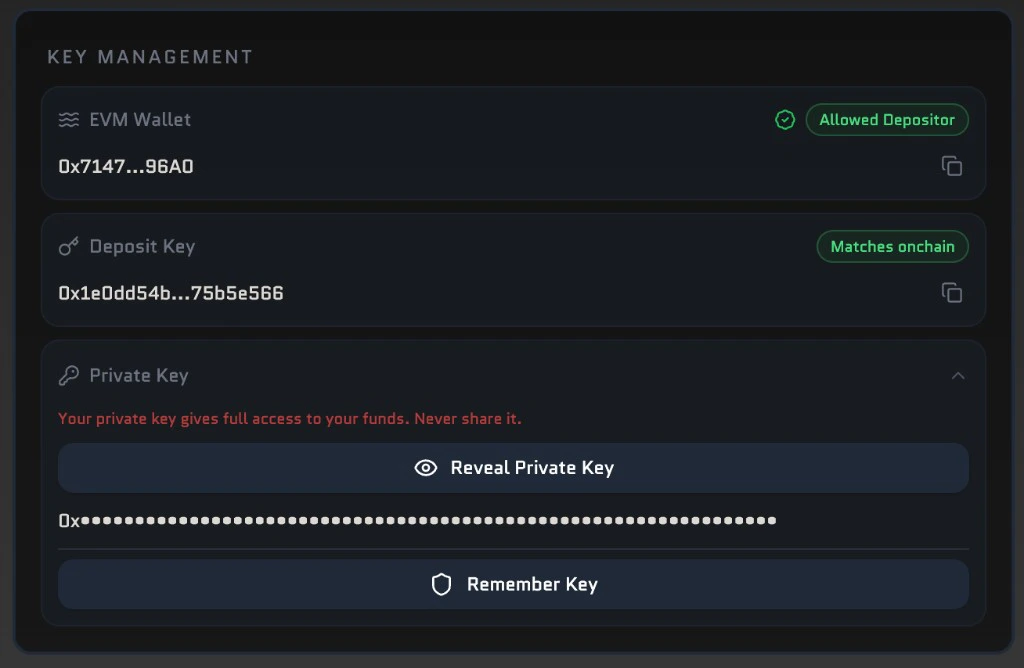
Under Account, open Key Management. You’ll see tiles for your EVM wallet, deposit key, and private key. Use Reveal Private Key to show the key (and copy it from there if you need a backup). Remember Key walks you through a password so the key is encrypted and saved on this device—only use it on hardware you trust, and never share what you reveal.If you cannot recover your private key (lost device, lost password, lost wallet access, or broken passkey sync), you can lose access to shielded funds. Treat key handling like custody of a hot wallet.For separate deposit addresses that still derive from your main key, see Sub Accounts. Sign-in options and wallet support are summarized in the FAQ.