Connect your wallet
Use any wallet the app supports (MetaMask, Coinbase Wallet, WalletConnect, Ledger, and others). Stay on Base with enough ETH for gas on transactions you sign yourself. The relayer still submits private transfers and withdrawals, so you do not pay gas for those.Sign in (derive your keypair)
Click Login, then pick one path:- Sign a message — EOA wallets only. No funds move; one signature derives your keys client-side.
- Passkey — WebAuthn PRF; works across devices where the same passkey syncs.
- Import — paste a Veil private key (works with smart accounts too).
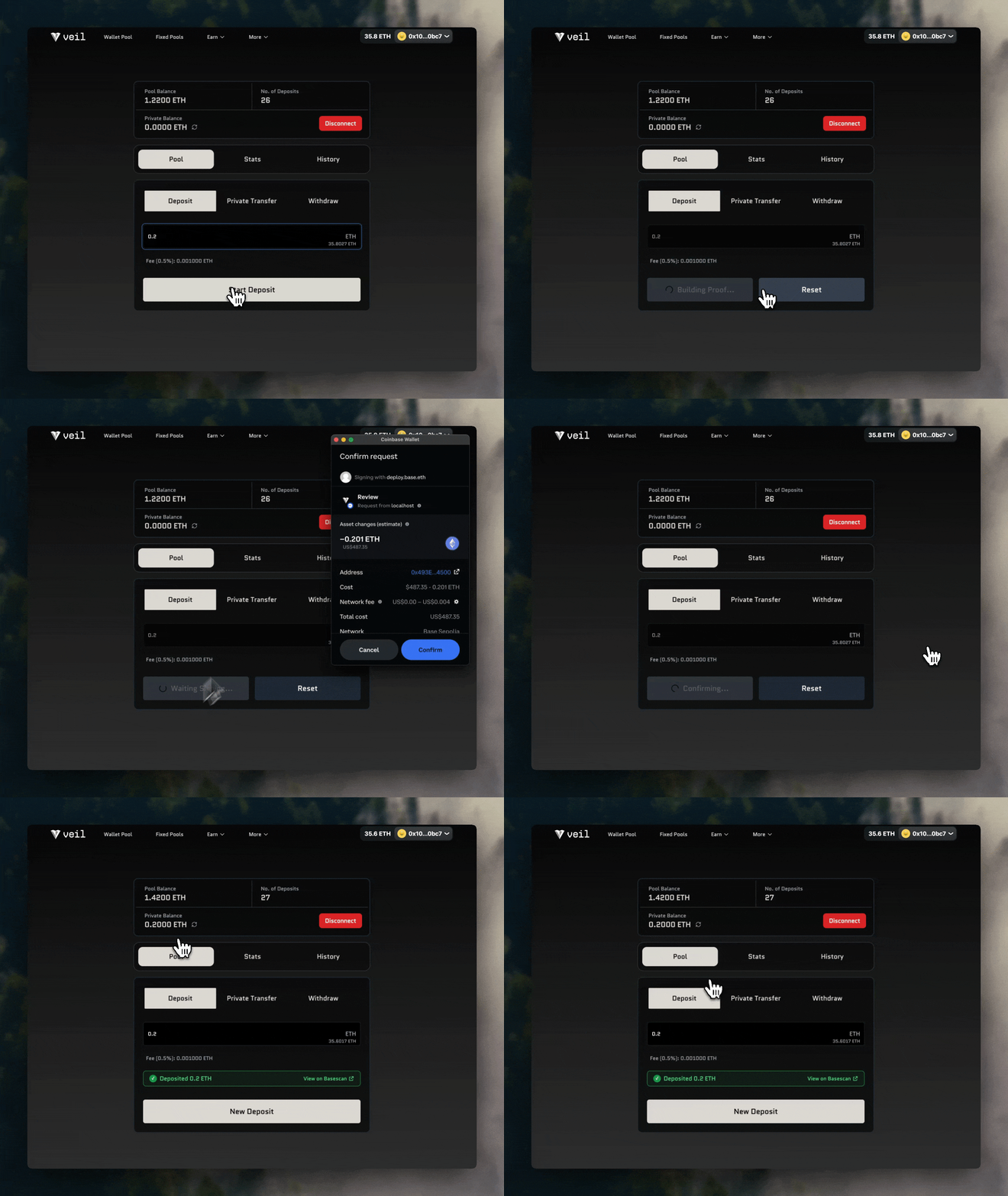
Deposit (shield funds)
Your first deposit includes any onchain setup the protocol needs for your address (such as associating your deposit key). That runs in the same flow as the deposit—there is no separate Register step in the app.- Choose ETH or USDC in the pool selector.
- Open the Deposit tab, enter an amount, and confirm. The UI shows the 0.3% fee and a total that includes it (same fee model as the FAQ).
- USDC may need a one-time approve for the entry contract before the queue transaction.
- Funds go to the queue first. Verified paths and 0xbow screening follow the rules in Verified Users and 0xbow Screening. Minimum shielded amounts are after the fee—see the FAQ.
Private transfer
Open the Transfer tab. The relayer submits the transaction; senders, recipients, and amounts are not published onchain in the clear. The recipient must already be able to receive shielded transfers (deposit key onchain; the app checks this). Pick the pool, amount, and recipient address the UI accepts.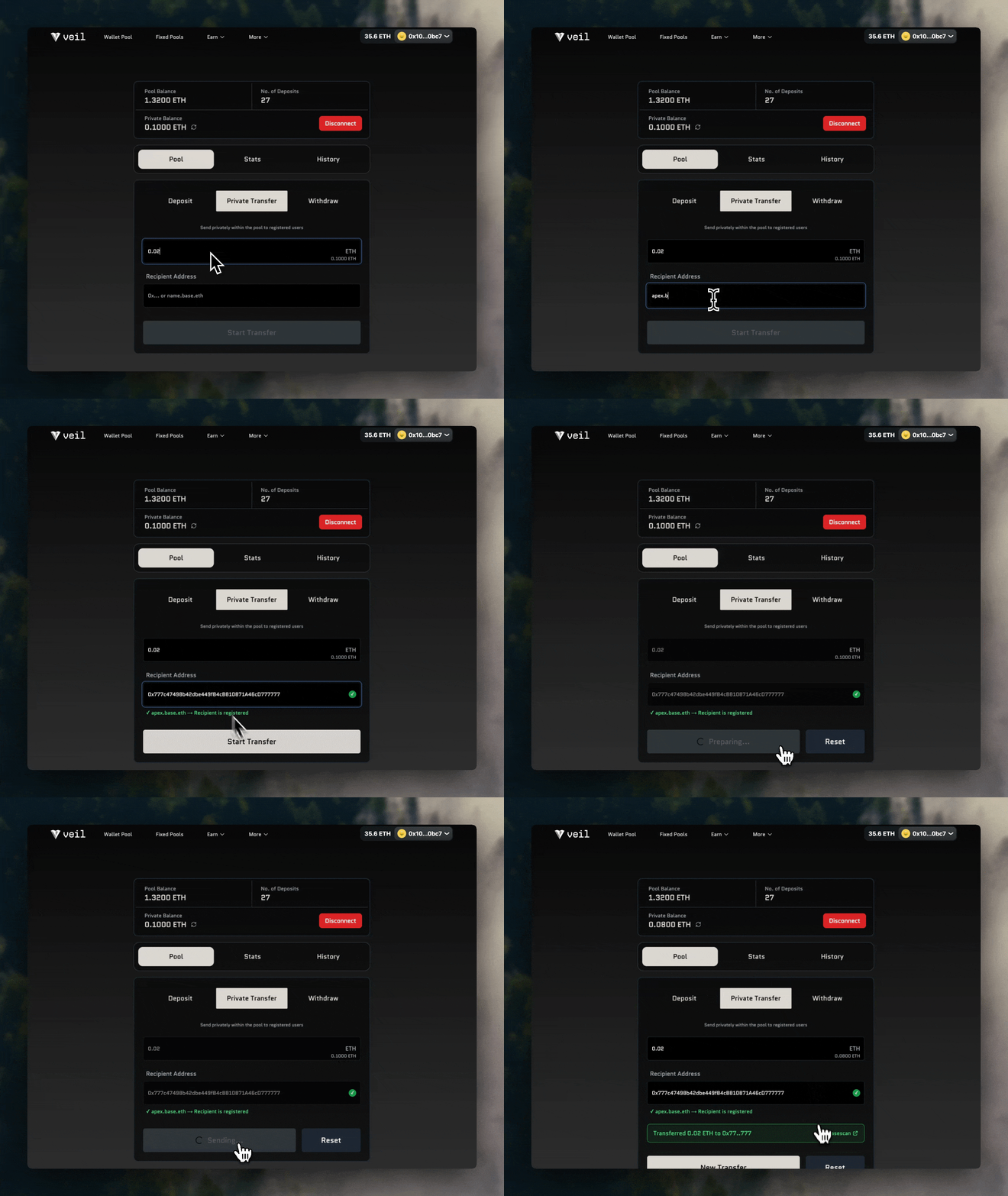
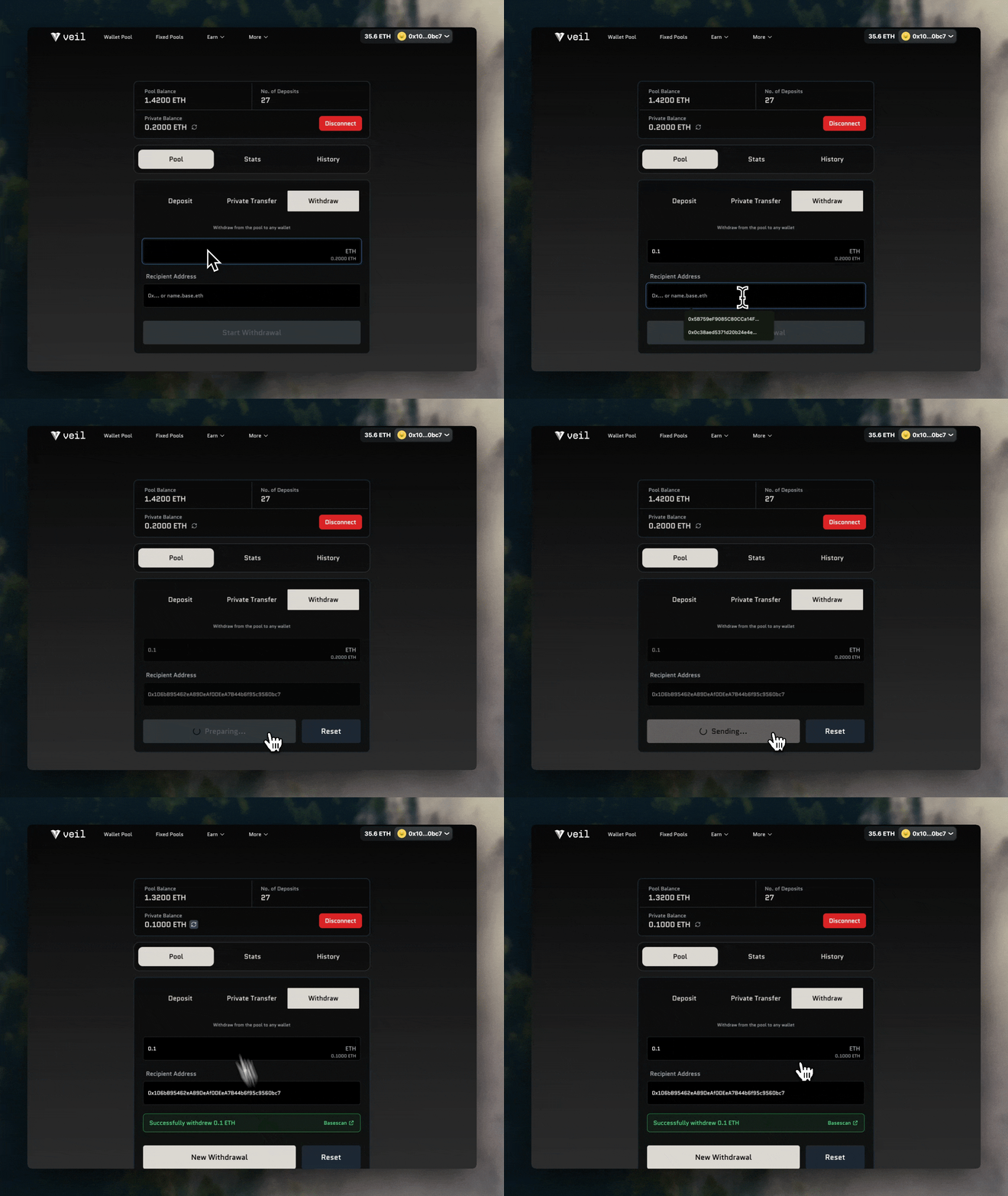
Withdraw
Open the Withdraw tab, choose an amount and any Ethereum destination address. The relayer submits the withdrawal. There are no fixed denominations—up to your shielded balance.